Marco from Whiteboard Finance explains how to buy and store Bitcoin safely. He says the process looks more intimidating than it is, but it is really simple if you follow along.
In this walkthrough, he shows the exchange he uses to buy Bitcoin and how he stores it with a hardware wallet. He also emphasizes that people should not buy Bitcoin out of fear of missing out, but should truly try to study it and understand it.
Introduction
Marco introduces himself as someone who wants to help viewers master their money and build their wealth. In this video, he focuses on teaching how to buy Bitcoin and then move it into cold storage.
At the time of the recording, he says Bitcoin is trading at $9,400 on November 13, 2024. He also mentions that the last time he made a similar video, about four years earlier in November 2020, Bitcoin was trading at about $144,000, and he says there are geopolitical and economic reasons why a lot is going on.
A Key Warning Before Buying
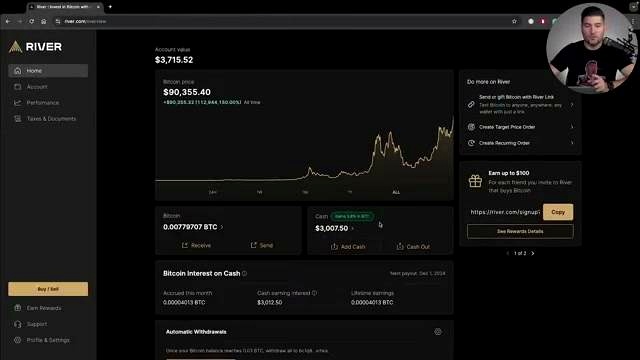
Marco says people should not buy Bitcoin simply because everyone else is buying it. He warns against buying out of fear of missing out and says people should study Bitcoin and understand it first.
The Exchange He Uses: River
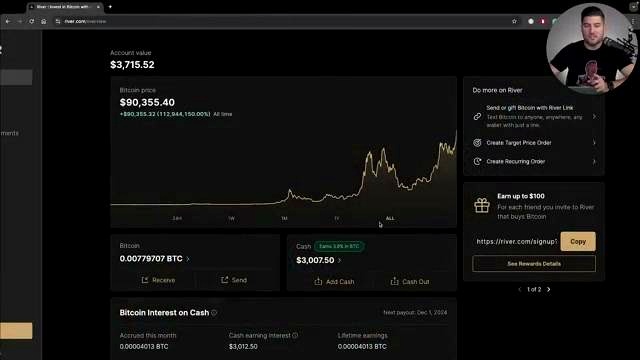
Marco says he is using River because it is the only exchange he uses to buy Bitcoin. He says the reason is that they are trustworthy and that they always show their Bitcoin reserves.
He contrasts this with exchanges that implode later, referring to examples such as FTX and Mt. Gox. He says he trusts River and shows that his account has about 3,000 in cash and also a little bit of Bitcoin sitting on it.
Features Mentioned on River
- Send Bitcoin as a gift
- Create a target price order
- Create a recurring order
- Make a one-time buy
Marco says sending Bitcoin as a gift could be a great Christmas gift. He also explains that a target price order lets a user set the Bitcoin price at which they want to buy.
His Preferred Strategy: Recurring Buys
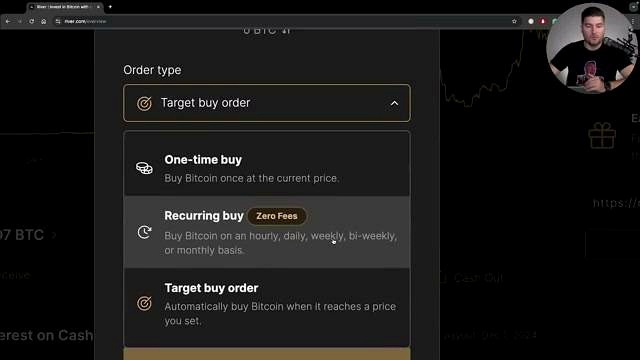
Marco says what he recommends and what he has personally been doing on River for years is setting up a recurring buy. He says he likes this because he has been preaching dollar cost averaging on the channel for years and that is how he personally invests.
He says he has bought Bitcoin at $3,500 and also at $93,000 per Bitcoin because he buys Bitcoin every day using River’s recurring buy feature. According to him, users can set recurring buys hourly, daily, weekly, bi-weekly, or monthly.
He also says he really likes River’s recurring buy feature because it has zero fees. He explains that a lot of other exchanges have hefty fees, but with River, if you set up a dollar cost average, after the first week you never have to pay fees again.
Marco says he personally buys Bitcoin 365 times a year using River, and then he also makes additional buys during dips or when he feels like spending a little bit more.
How He Demonstrates a One-Time Buy
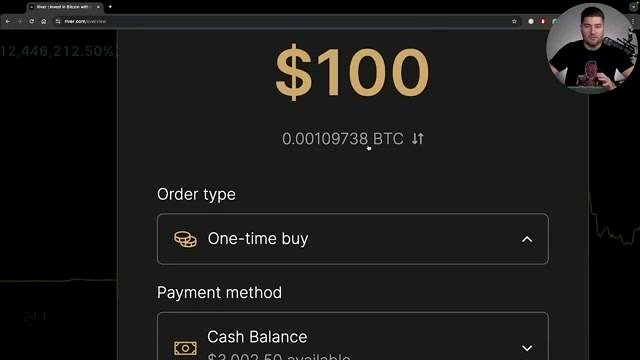
For the sake of the video, Marco says he is going to do a one-time buy. He enters $100 of Bitcoin and says that gives him 0.001 Bitcoin.
He explains that Bitcoin is divisible into 100 million spaces and that one out of 100 million is called a sat or a Satoshi. He says 100 million Satoshis make up one Bitcoin.
In his example, he previews the purchase, clicks buy now, and the transaction processes. He then says River sends him a notification confirming that he just bought Bitcoin, and he describes the buying process as the easy part.
Why Storage Matters
Marco says the part that can intimidate or confuse people is storage. He explains that many people are used to a bank, where money goes into an account and that is the end of it.
He says Bitcoin is a bearer asset and compares it to owning a precious commodity, like gold or silver. He says that, just as a person might want to hold bullion in a safe, a safety deposit box, or at home, Bitcoin should also be kept in a secure place.
“Not Your Keys, Not Your Bitcoin”
Marco uses the phrase “not your keys, not your Bitcoin,” and also jokes “not your keys, not your cheese.” He explains that if Bitcoin is left on River, then it is living on River and is not in his custody.
He says that even if he can log in and see the Bitcoin balance, that does not mean it is really his Bitcoin in the strongest sense. He gives an extreme example that if something happened to River tomorrow and the assets were seized, then that Bitcoin would no longer be his.
Using Cold Storage and a Hardware Wallet
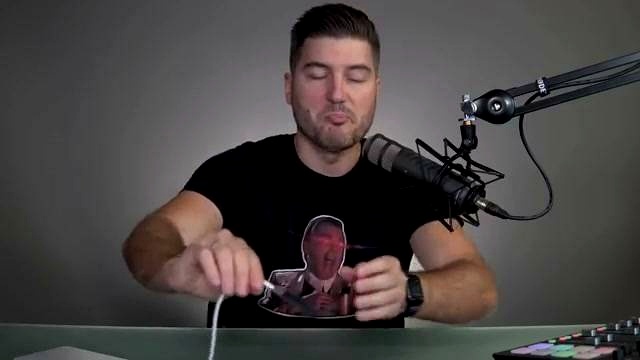
Marco says the solution is to use a hardware wallet, also called cold storage. He explains that it is called cold because it takes the Bitcoin offline.
The device he shows is a Ledger. He also mentions that there are many hardware wallets available, including Coldcard, Trezor, and Jade.
He says the Bitcoin bought on River will be put onto the device and that all a person has to do is remember the seed phrase. He explains that it does not have to literally be a Ledger, but can be any wallet that uses this type of encryption.
Seed Phrase Basics
Marco says a seed phrase is 12 or 24 words in a specific order. According to him, if you have that seed phrase and a compatible wallet, you can boot it up anywhere in the world.
He describes this as one of the beauties of Bitcoin, saying a person can put their entire net worth in their pocket or remember the words in order and travel with their net worth in their brain.
How He Transfers Bitcoin from River to Ledger
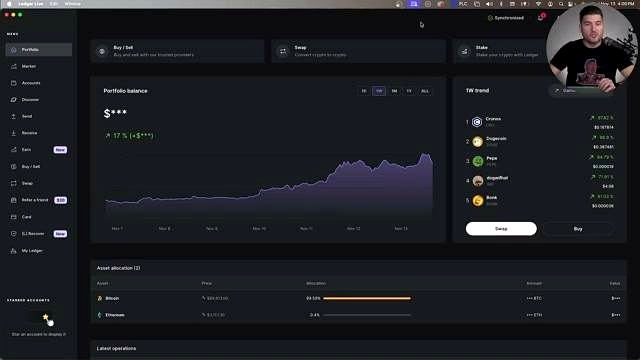
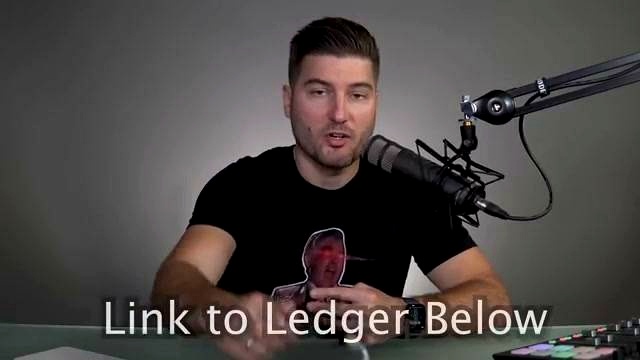
Marco then demonstrates how to transfer Bitcoin from River to cold storage using Ledger Live, which he calls Ledger’s native platform. He says Ledger Live makes the process really easy.
He notes that Ledger can store different types of cryptocurrency, although he says he basically used it for Bitcoin and ethereum. He also says that on this Ledger, 99.59% of the allocation is Bitcoin.
Step 1: Create a Receiving Address in Ledger Live
- Open Ledger Live.
- Click receive.
- Select Bitcoin.
- Click continue.
Marco explains that Ledger then asks him to unlock the device by entering the passphrase. After that, he opens the Bitcoin app on the Ledger. He says the wallet then creates an address, which he copies, verifies, and approves on the Ledger device. After that, the address is shared securely and he clicks done.
Step 2: Send the Bitcoin from River
- Go back to River.
- Click send.
- Paste the destination address created in Ledger Live.
- Choose the amount to send.
Marco says River shows him that he has $797.30 worth of Bitcoin available. He notes that users can view the amount in dollars or in sats.
In his example, he sends the whole amount. He warns that people do not want to create microtransactions because of UTXOs, which he describes as unspent transactions that can add up over time because they are very small amounts.
Step 3: Choose Speed and Verify
Marco says River asks what speed he wants to send at: priority, standard, or free. He chooses free.
Next, River asks for the authenticator app code on his phone. He says this is just another layer of protection. He enters the authenticator number, clicks verify, then clicks send. After that, the send is initiated.
Step 4: Wait for Confirmation
Marco then goes back into Ledger Live and checks Bitcoin. A little later, he says the transaction appears as confirmed.
He says Ledger Live then shows the latest operation details, including the account, the date, the transaction ID, who it was from, who it was to, and the amount.
The Process in Simple Order
- Sign up for River.
- Buy the Bitcoin.
- Send it to cold storage on a hardware wallet.
Marco says the hardware wallet could be a Ledger, a Coldcard, a Blockstream Jade, or something else. He says the important thing is to get the Bitcoin off the exchange.
He compares the transfer process to sending a letter in the mail: you create the receiving address, go back to River, put in that address, and then the Bitcoin is delivered to the cold storage device. At that point, it is your keys, your seed phrase, and, as he jokes, your cheese.
FAQ
What exchange does Marco use to buy Bitcoin?
He says he uses River, and that it is the only exchange he uses to buy Bitcoin.
Why does he prefer River?
He says River is trustworthy, shows Bitcoin reserves, and offers recurring buys with zero fees after the first week for a dollar cost average setup.
What buying method does he recommend?
He recommends recurring buys and says he has been using dollar cost averaging on River for years.
Can Bitcoin be bought in small amounts?
Yes. He explains that Bitcoin is divisible into 100 million units called sats or Satoshis.
What does “not your keys, not your Bitcoin” mean in his explanation?
He says that if Bitcoin is left on an exchange, it is not in your custody. He recommends moving it to cold storage.
What device does he show for cold storage?
He shows a Ledger and also mentions other hardware wallets such as Coldcard, Trezor, and Jade.
What is a seed phrase?
He describes it as 12 or 24 words in a specific order that can be used with a compatible wallet.
How does he move Bitcoin from River to cold storage?
He creates a receiving address in Ledger Live, copies it, pastes it into River’s send field, chooses the amount and speed, verifies with an authenticator app, and then waits for confirmation.
What final advice does he give?
Buy the Bitcoin, send it to cold storage, and get it off the exchange.
Reference Video

An Indian crypto journalist covering the developments in the Bitcoin and blockchain industries. Her work helps readers understand key changes in the world of digital assets.